Grids and Controls
Some Lighthouse pages display data in grids. In grids you can select items, sort the information, and filter the data.
Multi-Select and Actions
To take action on multiple items at the same time, select the check boxes on the left of the rows. The available actions are displayed above the top row of the grids. If you select the check box in the grid header, all check boxes in the grid are selected.
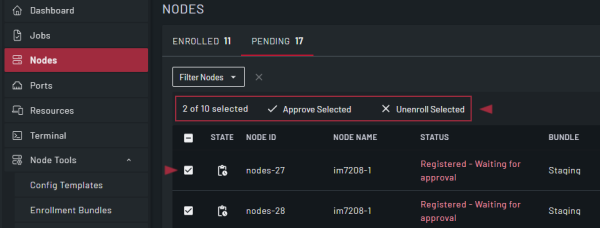
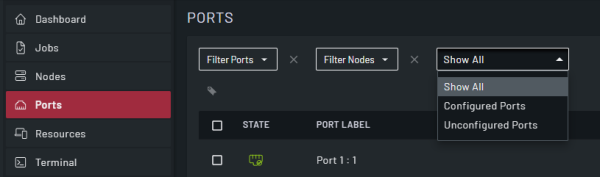
Filtering the Data
To view and select custom filters, click the Filter drop-down and then select from the available filters. For information about filters, see Manage Filters and Tags.
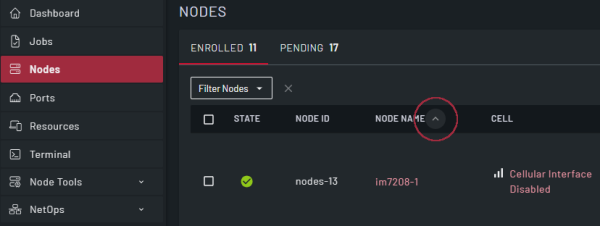
Sorting Data on a Grid Column
Some columns support sorting the values in the column in ascending or descending order. To show the sort control, hover over the column name and then click the control to modify the column sort order.
How to Search
Enter a term in the Search control to filter the results. The AND operator is used if more than one search term is entered. To enter a multi-word search phrase, enclose them in double quotes.
Form Syncing
When another user modifies and saves information to a form that you are viewing, you are shown an alert that prompts you to accept updates from the other user. It is highly recommended that you click Accept to reload the form with their updates. If you do not accept the updates, you may overwrite them when you save your update