Restore Configuration
Exported system configuration can be imported to the node using the Web UI or ogcli tool.
Note:If the configuration was exported using --secrets=mask, it cannot be used for configuration import.
Note:It may take up to ten minutes to import a config file with a large amount of configuration.
Restore Configuration Via Web UI
CONFIGURE > SYSTEM > Export / Restore Configuration
Importing configuration using the Web UI will use the restore strategy. Restoring configuration will override all settings on the node.
Only configuration from the same version and model can be restored.
To restore the system configuration:
-
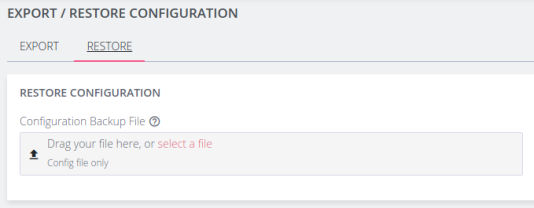
Click the Restore tab
-
Select the configuration file to import.
-
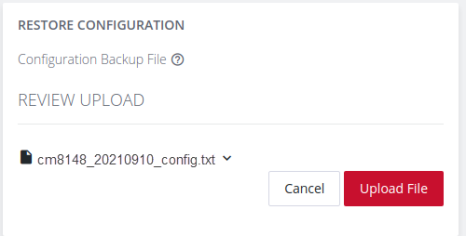
Review the configuration by clicking the arrow to display the file content.
-
Click the Upload File button to start the import process.
-
A green banner will display when the configuration import is successful.
Import Configuration via ogcli
The system configuration can also be imported using the ogcli tool. Either the import or restore strategies can be used.
Import Configuration
Configuration that is imported using the ogcli import command will be merged with the current system configuration, preserving the current values and adding missing entries from the exported configuration where required.
As an administrative user, run the following command:
ogcli import <file_path>
Restore Configuration
Configuration that is imported using the ogcli restore command will replace the current system configuration. The resulting system configuration will reflect what is in the exported configuration.
As an administrative user, run the following command:
ogcli restore <file_path>