Communicate With The Cellular or POTS Modem
Interfacing with the cellular modem is only available via CLI.
| Usage | |
|---|---|
mmcli [OPTION?]
|
Control and monitor the ModemManager. |
| Option | Description |
|---|---|
-h, --help
|
Show help options |
--help-all
|
Show all help options |
--help-manager
|
Show manager options |
--help-common
|
Show common options |
--help-modem
|
Show modem options |
--help-3gpp
|
Show 3GPP related options |
--help-cdma
|
Show CDMA related options |
--help-simple |
Show Simple options |
--help-location |
Show Location options |
--help-messaging |
Show Messaging options |
--help-voice |
Show Voice options |
--help-time |
Show Time options |
--help-firmware |
Show Firmware options |
--help-signal |
Show Signal options |
--help-oma |
Show OMA options |
--help-sim |
Show SIM options |
--help-bearer |
Show bearer options |
--help-sms |
Show SMS options |
--help-call |
Show call options |
| Application Options | Description |
|---|---|
-v, --verbose
|
Run action with verbose logs |
-V, --version
|
Print version |
-a, --async
|
Use asynchronous methods |
--timeout=[SECONDS]
|
Timeout for the operation |
| 2 (UTRAN) | 3G |
| 7 (E-UTRAN) | 4G |
| 5G SA | |
| 13 (E-UTRA-NR dual connectivity) | 5G NSA |
Internal Modem (POTS)
The
The modem is connected via the RJ15 cable at the RJ15 port at the rear, when connecting the cable you will hear or feel a click when it is correctly inserted.
The POTS modem supports the following modes:
-
Dial-In Only - In this mode the device will not dial-out to other modems.
-
Management Console Only - On successful connection, only a console (login prompt and shell access) is active. The modem is not a network interface, it will not carry IP traffic.
Configuring the POTS Modem (OM2200-10G-M-L)
POTS modem entities are detected and added to the config when the device is booted and therefore cannot be added or deleted later.
The internal POTS modem has the following configurable options:
| Configuration | Modem Behavior |
|---|---|
| dialin mode enabled or disabled | The modem will listen for connections and automatically answer, providing a serial console to the requester. |
| Baud rate | The baud rate to use between the modem and the internal serial port. |
| Custom AT Command Sequence | This is a single-line, multi-command string to use to initialize the modem with specific behavior. |
Configuration via the WebUI
Configure > Network Connections > Network Interfaces
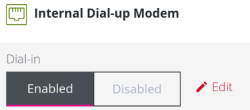
POTS Modem configuration listed at the above table are accessible from the Network Interfaces page. The configuration options appear below the other network interfaces in the list, the modem can be enabled in “dialin” mode or disabled. Clicking the Edit link navigates to the modem detail page if further configuration is required.
POTS Configuration via the Config Shell
The 'pots_modems' entity can be modified by Config Shell. POTS modem entities cannot be added or deleted after the boot sequence because they are detected and added to the config when the device is booted.
Config Shell Command Examples
The fields listed in the configurable options table can be configured via the Config Shell:
| Required Action | Command Example |
|---|---|
| Show the POTS modem configuration | show pots_modem modem01
|
| Enable the POTS modem | edit pots_modem modem01 mode dialin
|
| Disable the POTS modem | edit pots_modem modem01 mode disabled
|
| Set the modem baud rate | edit pots_modem modem01 baud 38400
|
| Set an AT command sequence | edit pots_modem modem01 command_sequence 'AT+CGI=09'
|
| Clear the AT command sequence | edit pots_modem modem01 command_sequence ''
|
Note: Supported POTS modem baud rates are 2400, 4800, 9600, 19200, or 38400.
Custom AT Command Sequence
The command sequence is a single-line, multi-command string to use to initialize the modem with specific behavior. It looks like a standard AT command, for example: AT+MSv32.
-
The initial AT can be entered or omitted.
-
Multiple commands can be entered separated by semicolons ';' eg. AT+MSv32;&v
-
There is no requirement to add the prefix AT for subsequent commands after the semicolon.
-
Some commands expect a value to be entered and require an = to be present eg. AT+GCI=09
-
Spaces are not allowed in the command sequence.
Example Custom AT Commands
| Required Action | Command Example |
|---|---|
| Show the POTS modem configuration | show pots_modem modem01
|
| Enable the POTS modem | edit pots_modem modem01 mode dialin
|
POTS Configuration via the CLI
CLI access to the
When a dialup connection with the
Note: If the modem session is ended, the console session will also end. Users are required to login again after starting a new modem call.
Logging
-
At modem start-up, the following log is printed to syslog:
Jul 26 02:37:22.
-
Mgetty logs are redirected to rsyslog, which include the logging of what is received and sent from the pots modem.
No other modem logs are output.