Installation And Connection

This section describes how to install the appliance hardware and connect it to controlled devices.

The following example image shows an OM2200 Device.


Operations Manager Features:

  1. Serial ports
    Number of serial ports varies per model.
  2. RJ45 serial console
  3. Front USB ports
  4. NET1 and NET2 (1G SFP and Copper)
    Combination network interfaces allow either SFP or Copper to be used.
  5. LED indicators
  6. USB serial console
  1. Config erase button
  2. SIM card slots
  3. Cell (main)
  4. Cell (aux)
  5. GPS
  6. USB serial ports
  7. Dual AC power supply

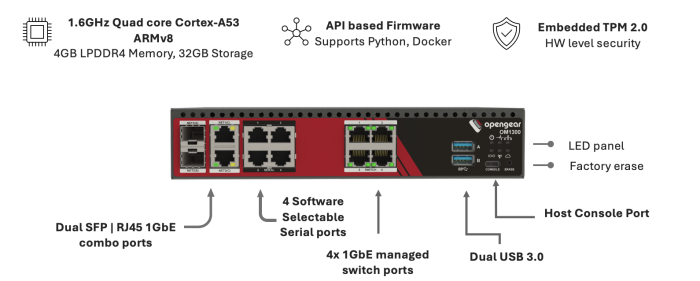
The following example image shows an OM1300 device.