Configuration Management Page
To open this page, in the Menu Pane, select  Node Tools > Configuration Management.
You can use this page to:
The NODE CONFIGURATION MANAGEMENT page consists of the following sections:
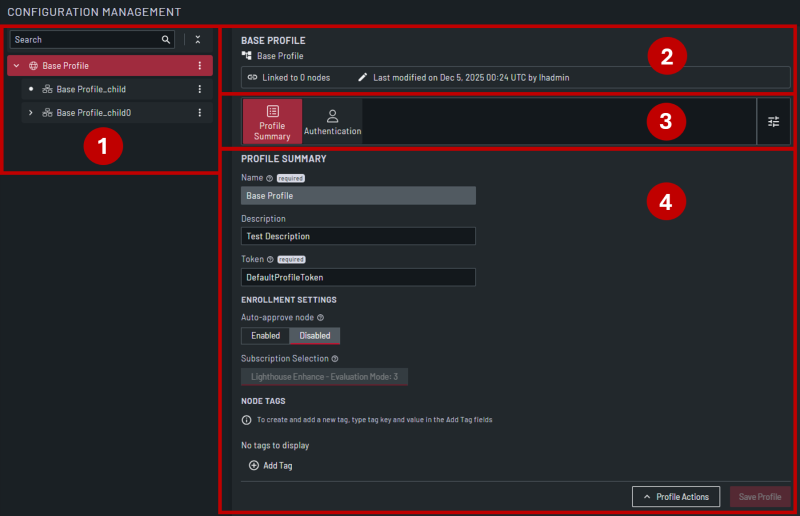
| Item | Section | Description |
|---|---|---|
| 1 | Hierarchy View | This section displays a hierarchy view of the configured profiles. |
| 2 | Status Bar |
This section displays high-level details for the profile selected in the Hierarchy View:
|
| 3 | Configuration Selector | This section displays the configuration sections you have added to the profile. |
| 4 | Configuration Section | This section displays the fields for the configuration section selected in the Configuration Selector and is where you set the configuration options. |