Firmware Upgrade Page
To open this page, in the Menu Pane, select  Node Tools > Firmware Upgrade.
You can use this page to:
Page Actions
| Action | Description |
|---|---|
| Schedule Upgrade |
Click this button and select:
|
| Filter |
Click the drop-down and select a filter by which to sort the tasks. |
| Search | Type the name of a task to filter the tasks. |
| Items Per Page | Use the drop-down to select the number of tasks to display per page. |
NODE/MODEM FIRMWARE tabs
Note: The following image shows the NODE FIRMWARE tab, but also represents the MODEM FIRMWARE tab.
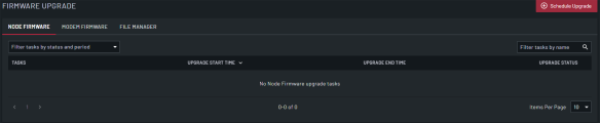
| Field | Description |
|---|---|
| Tasks | The name of the task. Click to open the TASK DETAILS page. |
| Upgrade Start Time | The date and time for the upgrade task to start. |
| Upgrade End Time | The date and time the upgrade task ended, for completed tasks. |
| Upgrade Status | The status of the upgrade task. |
MODEM FIRMWARE tab
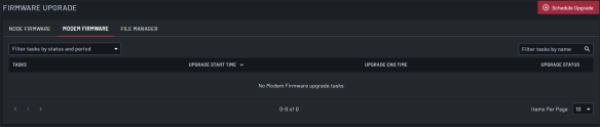
| Field | Description |
|---|---|
| Tasks | The name of the task. Click to open the TASKS page. |
| Upgrade Start Time | The date and time for the upgrade task to start. |
| Upgrade End Time | The date and time the upgrade task ended, for completed tasks. |
| Upgrade Status | The status of the upgrade task. |
FILE MANAGER tab
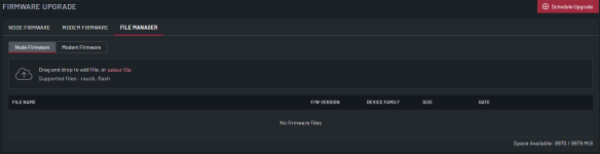
| Field | Description |
|---|---|
| Firmware |
Select Node Firmware or Modem Firmware to manage node or modem firmware files. When you select:
|
| Upload | Drag and drop the firmware file to upload or click select file. |
| File Name | Read-only field that displays the name of the firmware file. |
| F/W Version | Read-only field that displays the version of the firmware file. This is available only when Node Firmware is selected. |
| Device Family | Read-only field that displays the family for the device using the firmware file. This is available only when Node Firmware is selected. |
| Size | Read-only field that displays the size of the firmware file. This is available only when Node Firmware is selected. |
| Date | Read-only field that displays the date the firmware file was uploaded. |
| Delete Firmware File | Click the x to delete the firmware file. If the firmware file is in use for a current or scheduled job, you cannot delete it. |
| Space Available |
Read-only field that displays the space available for:
|